Mortgage Website Platform vs WordPress
A hosted mortgage website platform and a WordPress website can both create a professional online presence. The important difference is not whether either option can display pages. It is who assembles, maintains, and supports the complete website system.
Choose based on the control, maintenance responsibility, mortgage-specific starting point, technical resources, and ongoing cost your organization is prepared to manage.
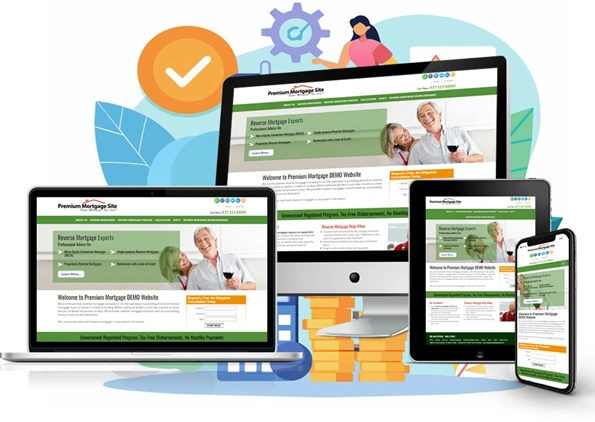
The Core Difference
Hosted Mortgage Website Platform
The provider supplies an industry-focused website system with hosting, supported templates, platform tools, and a defined management experience. Available pages, forms, calculators, editing controls, analytics, integrations, and support depend on the provider and plan.
WordPress Website
WordPress supplies general-purpose website software. The owner or its vendors select hosting, a theme, plugins, forms, security controls, backups, mortgage content, analytics, and ongoing maintenance. A managed host or agency can assume some of that work for an additional scope and cost.
Side-by-Side Decision Areas
| Decision area | Hosted mortgage platform | WordPress |
|---|---|---|
| Starting point | Mortgage-focused templates, content structure, and supported tools are selected from the platform's current offering. | A general installation becomes a mortgage website after the owner selects, configures, and populates the required components. |
| Hosting and SSL | Normally included and maintained within the subscription scope. | Selected separately or bundled by a managed host; service levels and responsibility vary. |
| Design and editing | Controls are defined by the platform and plan, which can simplify management but limit unsupported code or plugins. | Broad theme, block, plugin, and code options are available; compatibility and maintenance become part of the implementation. |
| Mortgage content and tools | May include mortgage templates, program structures, calculators, and inquiry forms as an integrated starting point. | Content, calculators, forms, and mortgage-specific workflows must be created, licensed, embedded, or integrated. |
| Updates and maintenance | The platform provider maintains the supported platform stack; the customer manages approved website content and settings. | WordPress core, themes, plugins, PHP compatibility, backups, and security require an owner, host, developer, or maintenance service. |
| Integrations | Limited to the platform's supported embeds, tracking codes, links, and enabled integrations. | A large plugin and API ecosystem is available, but setup, licensing, compatibility, security, and support vary by component. |
| Cost model | Recurring subscription tied to a defined hosted product and plan. | Software may be open source, but total cost can include hosting, premium themes/plugins, development, maintenance, security, and support. |
| Portability and exit | Access and platform features generally depend on the active subscription; confirm content/data export and cancellation terms. | The owner can control the installation and database when it controls the hosting account, while migration and component licenses still require planning. |
When a Hosted Mortgage Platform May Fit Better
- You want a mortgage-specific starting point rather than assembling a general CMS.
- You prefer one subscription for the supported website platform, hosting, and management tools.
- You do not want responsibility for selecting and maintaining a separate theme and plugin stack.
- The provider's templates, forms, calculators, editing controls, and supported integrations match your actual requirements.
When WordPress May Fit Better
- You require a plugin, custom data model, workflow, or design that a hosted platform does not support.
- You have qualified resources to manage hosting, development, updates, backups, security, testing, and compatibility.
- Direct control of the software installation and database is a core requirement.
- You have evaluated the full ongoing cost rather than treating the open-source software license as the total website cost.
Maintenance Is Part of the Product Decision
WordPress.org's official documentation advises site owners to keep WordPress, plugins, themes, and server software current, maintain backups, and monitor website health and security. Automatic updates can reduce routine work, but they do not remove the need for ownership, compatibility review, and recovery planning.
A hosted platform reduces that stack-management burden only within its supported architecture. The customer still reviews business information, licensing details, disclosures, privacy choices, content, and third-party account settings before publication.
Questions to Ask Before Choosing
- Which mortgage pages, templates, forms, calculators, and content are included at launch?
- Which changes can your team make without code, and which require the provider or a developer?
- Who maintains hosting, SSL, backups, updates, security, compatibility, and incident recovery?
- Which integrations are supported, how are they implemented, and which subscriptions are required?
- What is the three-year cost for the complete working scope?
- What can be exported, and what happens to the website, content, forms, and data when the relationship ends?
Neither delivery model guarantees search visibility, leads, regulatory compliance, loan outcomes, or business results. The best fit is the system whose documented capabilities and responsibilities match your organization.
Reference
This comparison was reviewed September 15, 2026. For the current WordPress maintenance model, see the official WordPress documentation, plugin and theme update guidance, and Site Health guidance.
See Whether the Hosted Model Fits Your Workflow
Review iReadySites templates, plan definitions, content controls, inquiry tools, and customer responsibilities, then compare them with the WordPress resources and maintenance structure you would otherwise need.